Validations
This documentation explains the Validations tab of a study.
1. Access Validations Tab
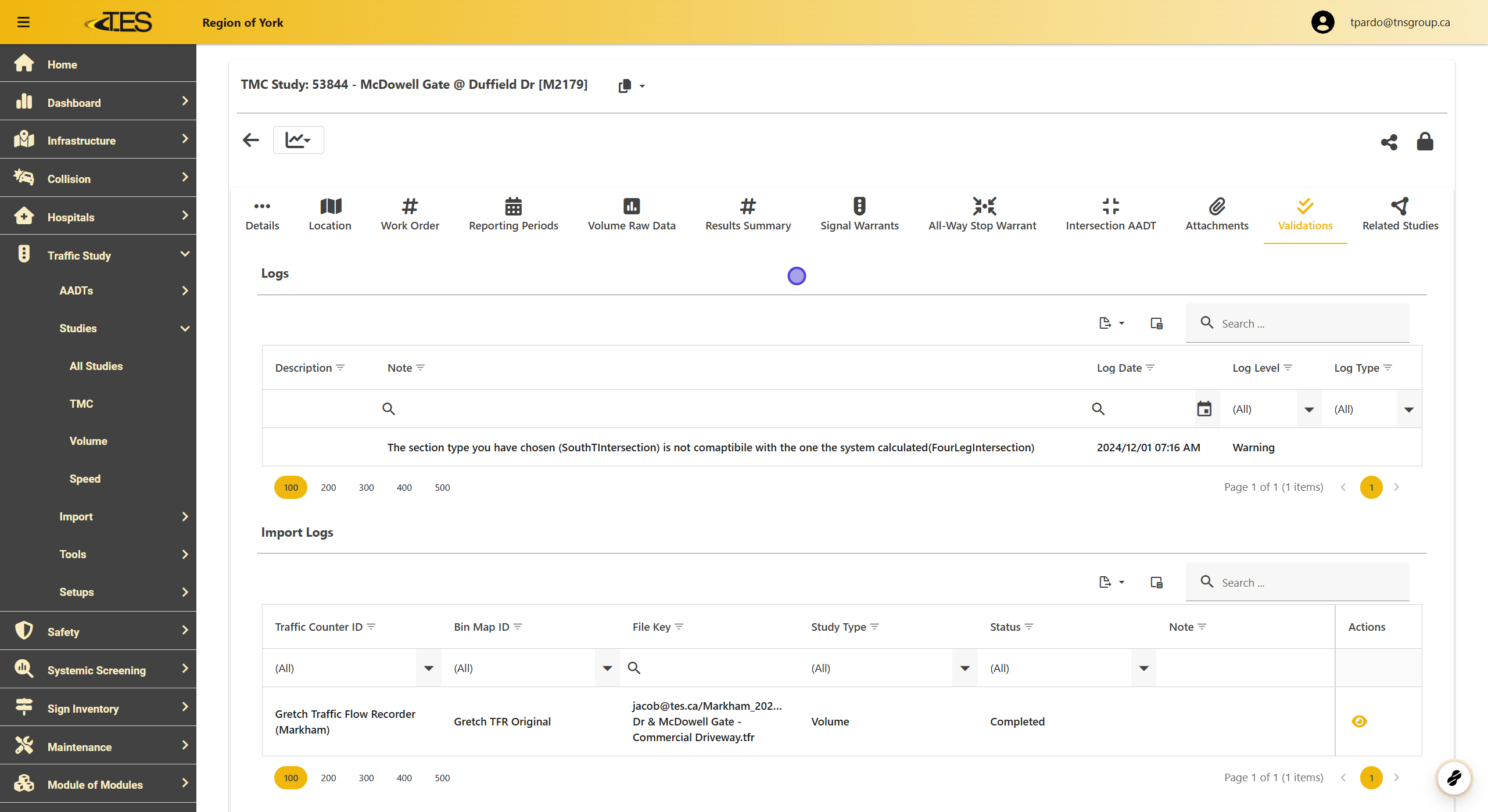
The Validations Tab helps you identify and address any issues that arise during the import process for a study. It consists of two sections: Logs and Import Logs .
Logs:
-
Displays warnings or errors that occurred during the import process.
-
Example: If the recorded section type in the study does not match the expected section type for the location, it will appear here.
Import Logs:
-
Provides a detailed record of all imports related to the study.
-
Includes key details such as:
-
Traffic Counter ID
-
Bin Map ID
-
File Key
-
Study Type
-
Status
-
Use this tab to troubleshoot and ensure the data is correctly imported into the system