Introduction
This documentation introduces the TMC Studies module.
1. Access TMC Studies
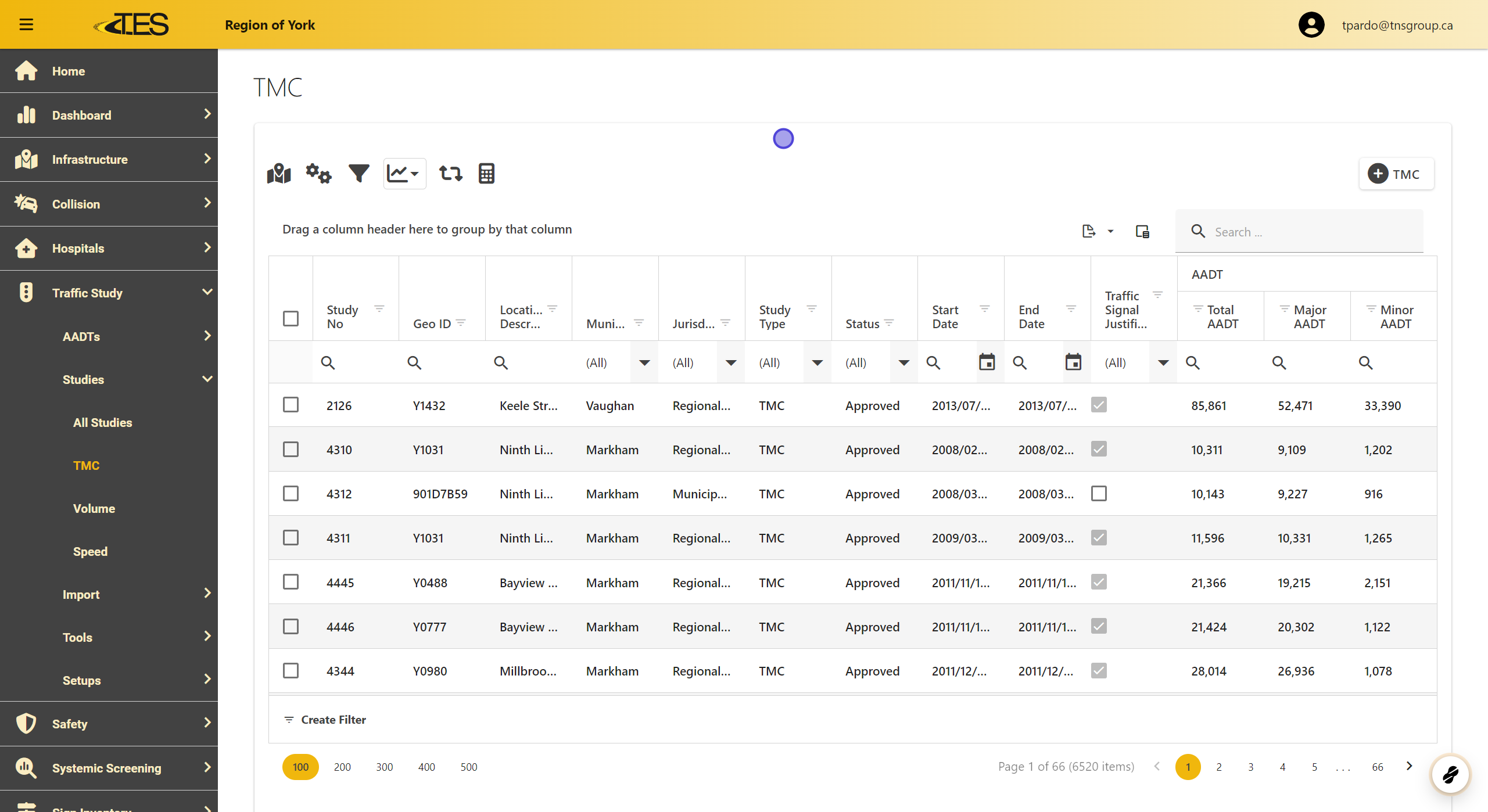
Navigate to the TMC Studies section from the TES dashboard. This module provides a comprehensive grid of all TMC studies (Traffic Movement Counts) in your jurisdiction. The grid includes columns such as:
-
Study Number
-
GEO ID
-
Location Description
-
Municipality
-
Jurisdiction
-
Study Type (e.g., TMC, Justification Study)
-
Status (e.g., Approved, Pending)
-
Start and End Dates
-
AADT Data (Total, Major, and Minor AADT)
You can customize your view by using the column chooser to display specific information or apply filters to narrow down the data.
2. Select a TMC Study
To view the details of a specific study, click on the row of the TMC study you want to access. This action will open a detailed view of the selected study.

3. Details Tab
Displays the study's basic information, including its type, status, and duration.

4. Location Tab
Shows a map of the study area for easy visualization.

5. Work Order Tab
Lists work order details, such as the start and end times of the study.

6. Reporting Periods Tab
Specifies the time periods used for the study.

7. Volume Raw Data Tab
Displays raw traffic volume data in tables and graphs.

8. Results Summary Tab
Provides a clear visual representation of traffic movement results.

9. Signal Warrants Tab
Evaluates if a traffic signal is needed based on the data.

10. All-Way Stop Warrants Tab
Determines the need for all-way stop controls at intersections.

11. Intersection AADT Tab
Links the study to AADT data for the intersection, if applicable.

12. Files Tab
Contains all files and attachments related to the study.

13. Validations Tab
Lists any warnings or errors related to the study data for review.

14. Generating Reports
To generate reports for a TMC study, select the "Reports" option. From the dropdown, choose the type of report you want to create:
-
TMC 15 Min: A report summarizing data collected in 15-minute intervals.
-
TMC Cyclist Volume: A report focused on cyclist traffic volumes.
-
TMC Pedestrian Volume: A report focusing on pedestrian traffic volumes.
These reports will provide specific insights based on the selected data type.

15. Using the Copy Button
The "Copy" button allows you to quickly copy important details from the TMC study. You can choose to copy the following:
-
Description: The name or description of the study.
-
Geo ID: The geographic identifier associated with the study.
-
Study No: The unique number assigned to the study.
-
Study Type: The type of study (e.g., TMC, volume study).
Select the detail you wish to copy from the dropdown, and it will be available for pasting into other documents or tools.
