Create Volume Reports
This documentation shows the volume study reports that can be created.
1. Access Volume Study for Reporting
To create a report:
-
Navigate to the desired Volume Study .
-
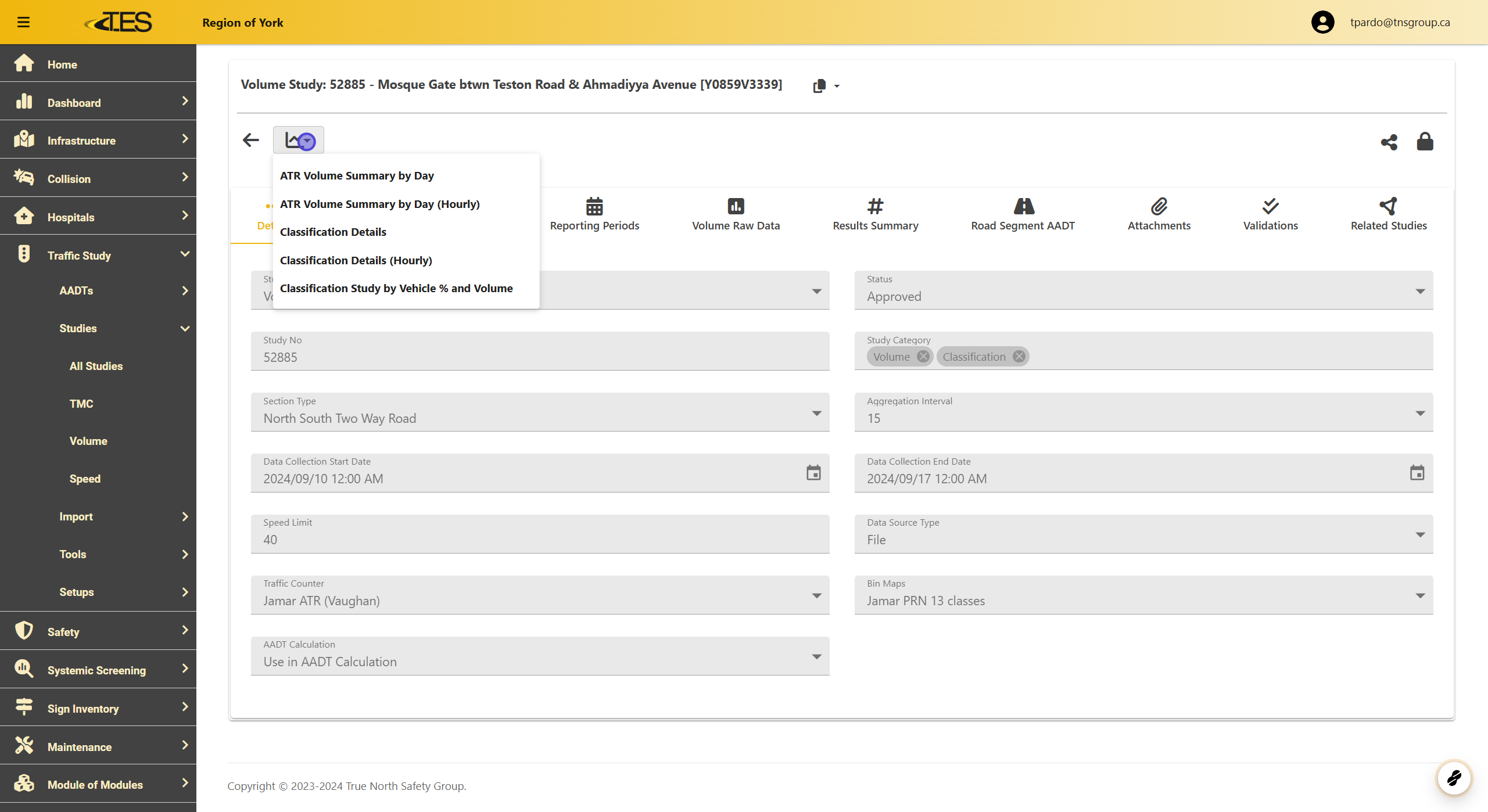
Click on the Report button located at the top left of the page.
-
Select the type of report you need from the options provided.
2. ATR Volume Summary by Day
The ATR Volume Summary by Day report provides a breakdown of traffic volume for each day, organized by hour.

3. ATR Volume Summary by Day (Hourly)
The ATR Volume Summary by Day (Hourly) report displays traffic volumes by hour and approach for each day.

4. Volume Classification Study Reports
For a Volume Classification Study , the following reports are available:
-
Classification Details Report : Provides detailed vehicle classifications in 15-minute intervals.
-
Classification Details (Hourly) Report : Displays vehicle classifications by hour.
-
Classification Study by Vehicle % and Volume Report : Summarizes vehicle volumes and their percentages for each day.

5. Classification Details
The Classification Details Report shows the volume of vehicles classified during the study in 15-minute intervals.

6. Classification Details (Hourly)
The Classification Details (Hourly) Report shows the volume of all the vehicles classified for the study by hour.

7. Classification Study by Vehicle % and Volume
This report summarizes:
-
Total vehicle volume for each day.
-
Percentage breakdown of each vehicle type per day.
