Introduction
This documentation introduces the Speed Studies Module.
1. Go to the Speed Studies Module
-
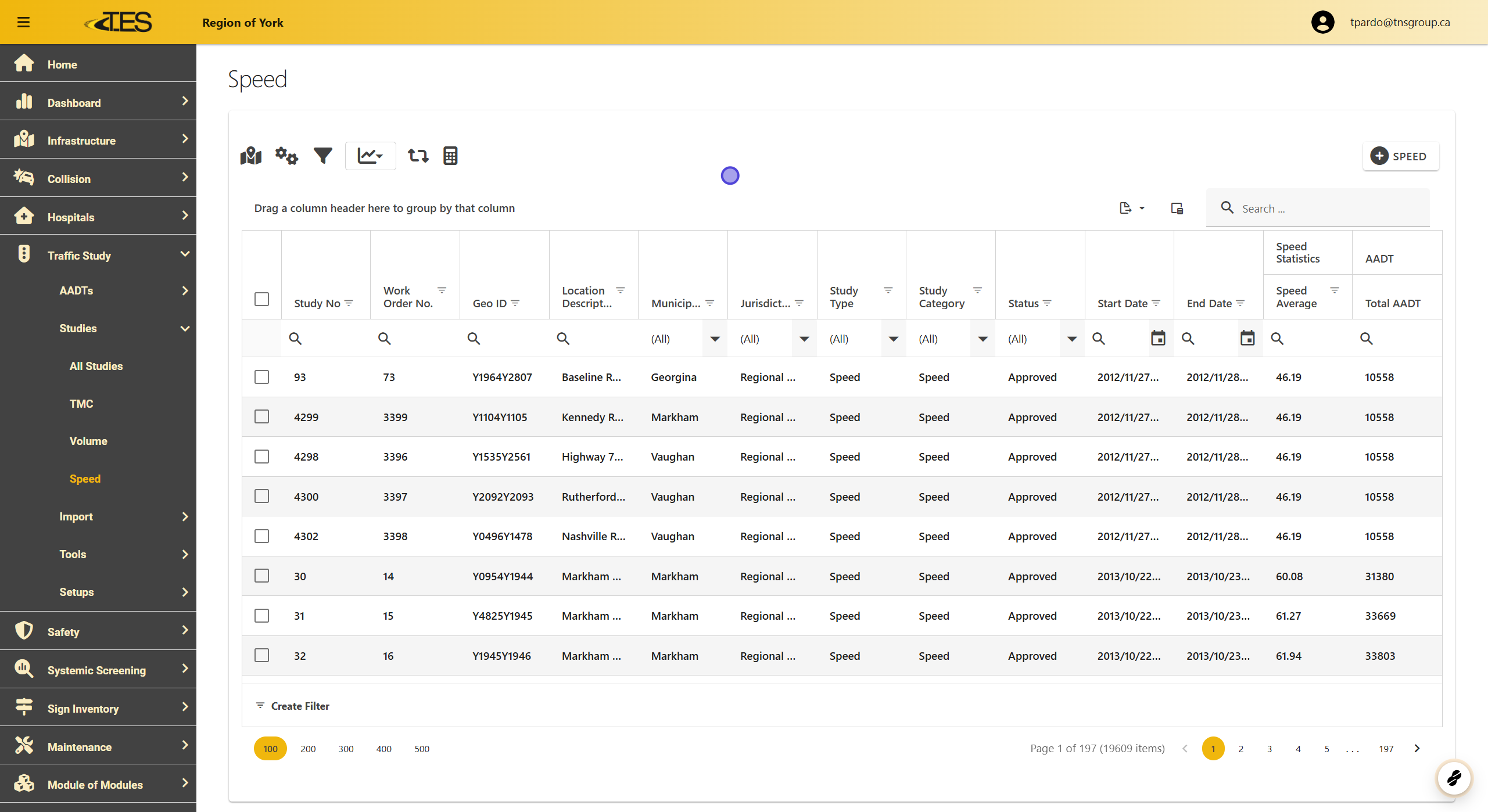
Speed Studies shows a data grid of all of the speed studies in your jurisdiction.
-
Columns within the data grid include Study Number, GEO ID, Location Description, Municipality, Jurisdiction, Study Type, Study Category, the import status of the study, start and end date, Speed Average, and Total AADT
-
In the Column Chooser, you can select more columns such as the AADT calculated for each approach, the volume counted for each road user and for each approach, and speed statistics for each direction and for both directions combined.
2. Study Category
-
The study categories for speed studies include Speed and Speed Classification .
-
Both work similarly except Speed Classification classifies vehicle types.

3. Click on a Speed Study

4. Detail View
The Detail View of speed studies contains similar tabs to TMC studies including:
-
Details
-
Location
-
Work Order
-
Reporting Periods
-
Volume Raw Data
-
Results Summary
-
Attachments
-
Validations
-
Unique tabs for speeds studies are Speed Raw Data and Speed Statistics .


