Speed Statistics Reports
This documentation goes over the Speed Statistics Reports.
1. Access Speed Statistics
-
Navigate to the Speed Statistics tab within a speed study.
-
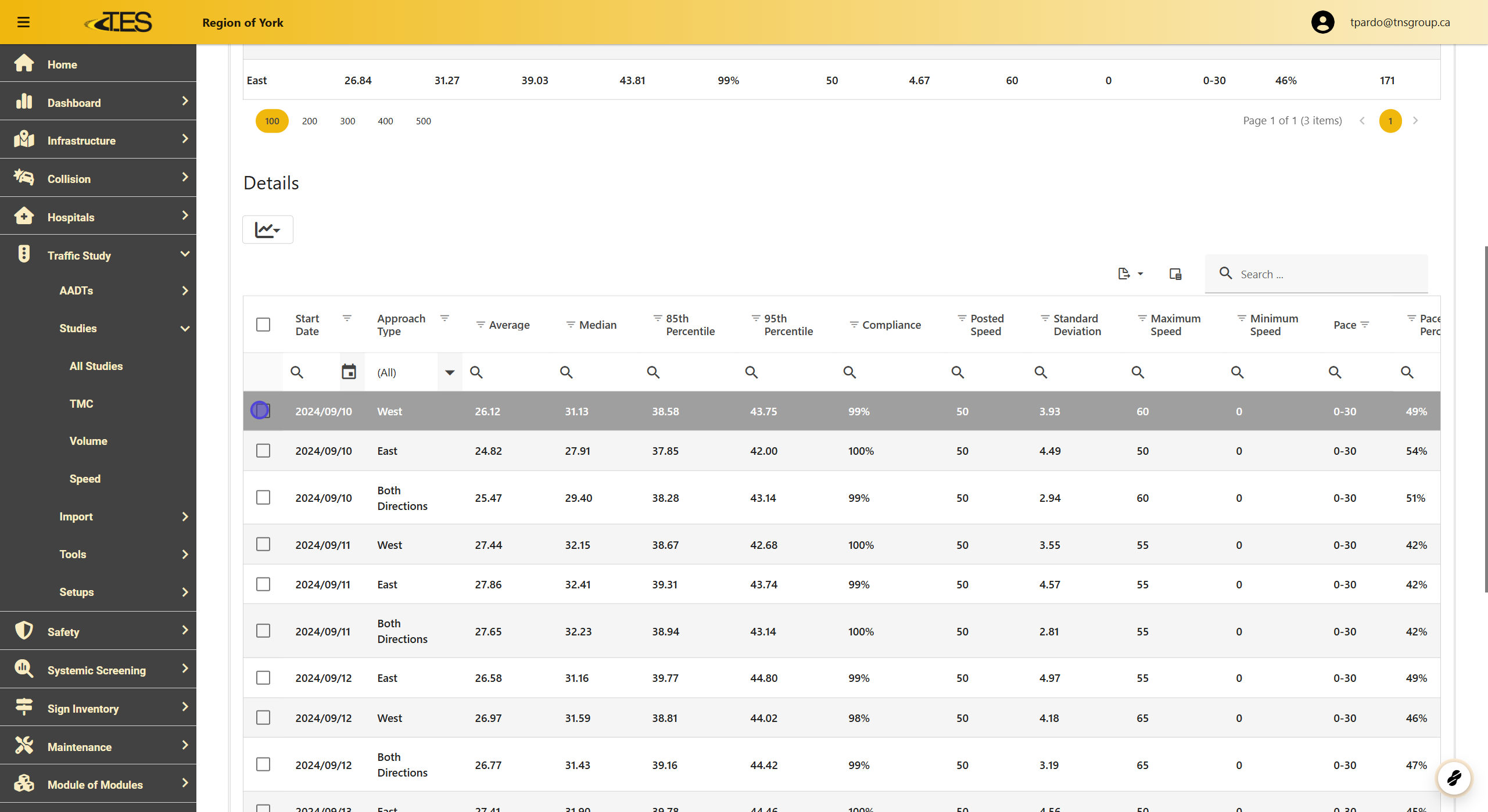
Scroll down to the Details section to view speed statistics.
2. Select the Desired Data
Check the boxes next to the rows you want to include in your analysis.

3. Click on the Reports Tab
Click on the Reports icon to generate a report for the selected data.

4. Select the Report Type
Choose between Speed Study Daily by Speed Range or Speed Study Hourly by Speed Range .

5. Speed Study Daily by Speed Range Report
Displays the speed bin volume for each day, along with speed and location data.

6. Speed Study Hourly by Speed Range Report
Similar to the daily report but shows volume data by hour instead of by day.
