Road Segment AADTs
This documentation goes over the Road Segments AADTs module.
This section explains how to use the Road Segment AADTs module in TES to view, analyze, and manage Annual Average Daily Traffic (AADT) data for specific road segments.
1. Access Road Segment AADTs
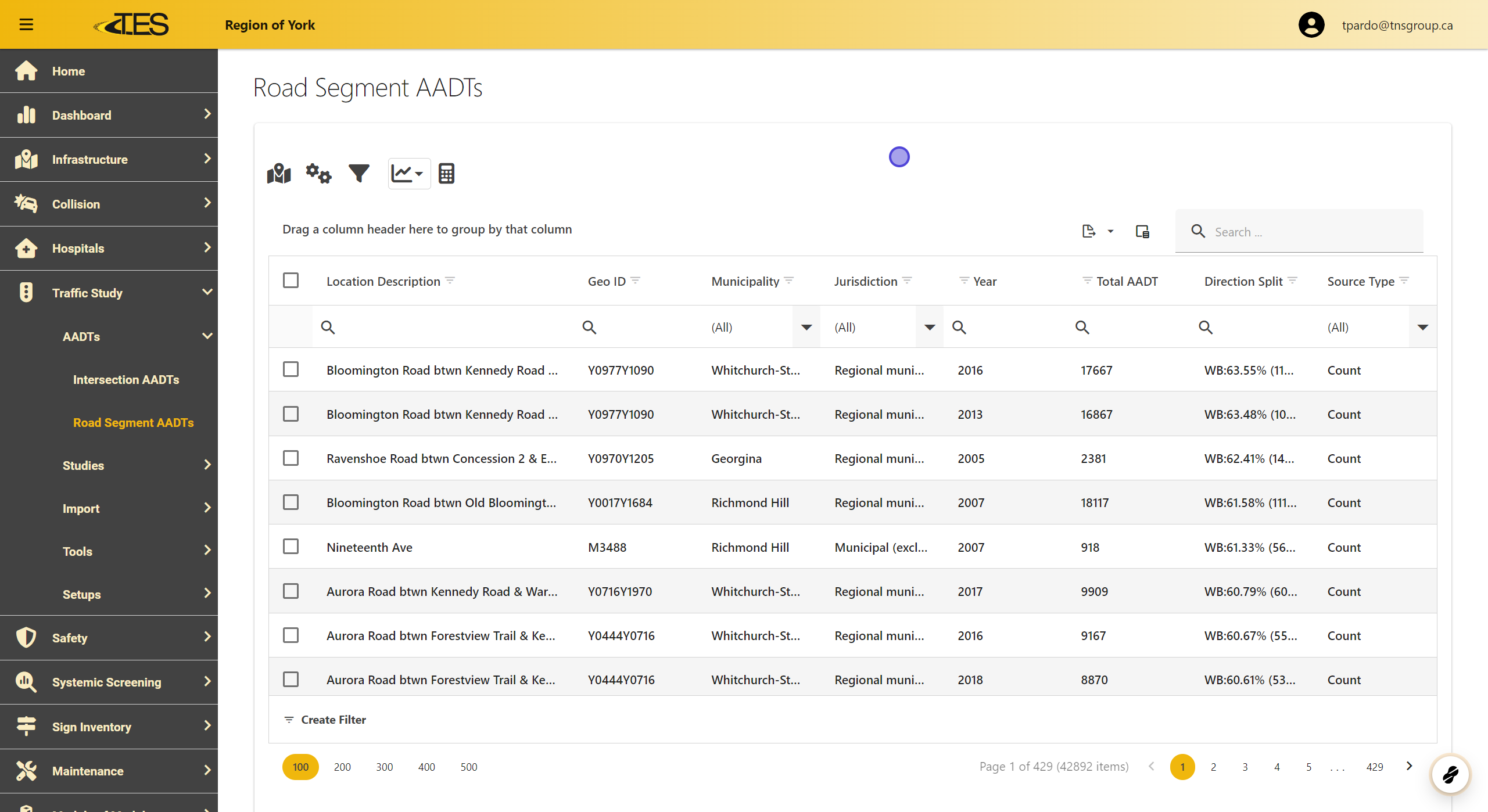
Navigate to the Road Segment AADTs module from the menu. This module contains a data grid displaying all calculated AADT data for road segments. The columns in the data grid include:
-
Location Description
-
Geo ID
-
Municipality
-
Jurisdiction
-
Year
-
Total AADT
-
Direction Split (including direction data)
-
Source Type for the AADT
2. Select AADT Record
Select the row of the specific road segment AADT record you want to view by clicking on it in the data grid.

3. View the AADT Information
The AADT tab shows detailed information for the selected record.

4. Location
In the Location tab, you can view the road segment on various map platforms, including:
-
Google Maps
-
Google Street View
-
Bing Maps
-
Bing Street View
Click the respective icons to view the road segment on your preferred platform.

5. Generating Reports
Use the Report button to generate a detailed report of the selected AADT data

6. Editing a Record
If you need to edit the AADT record, click on the Lock button to enable editing. Make the necessary changes and save them.

7. Copy Data
Click the COPY button and select the data you want to copy (Geo ID, Year, or Location). This option allows you to quickly duplicate specific information for use in other modules or documentation.
