Intersections AADTs
This documentation explains how to use the Intersections AADTs module in TES. Follow the steps below to view, edit, and utilize data related to Average Annual Daily Traffic (AADT) at intersections.
1. Access Intersection AADTs
-
Navigate to the Traffic Study > Intersections AADTs section on the left-hand menu.
-
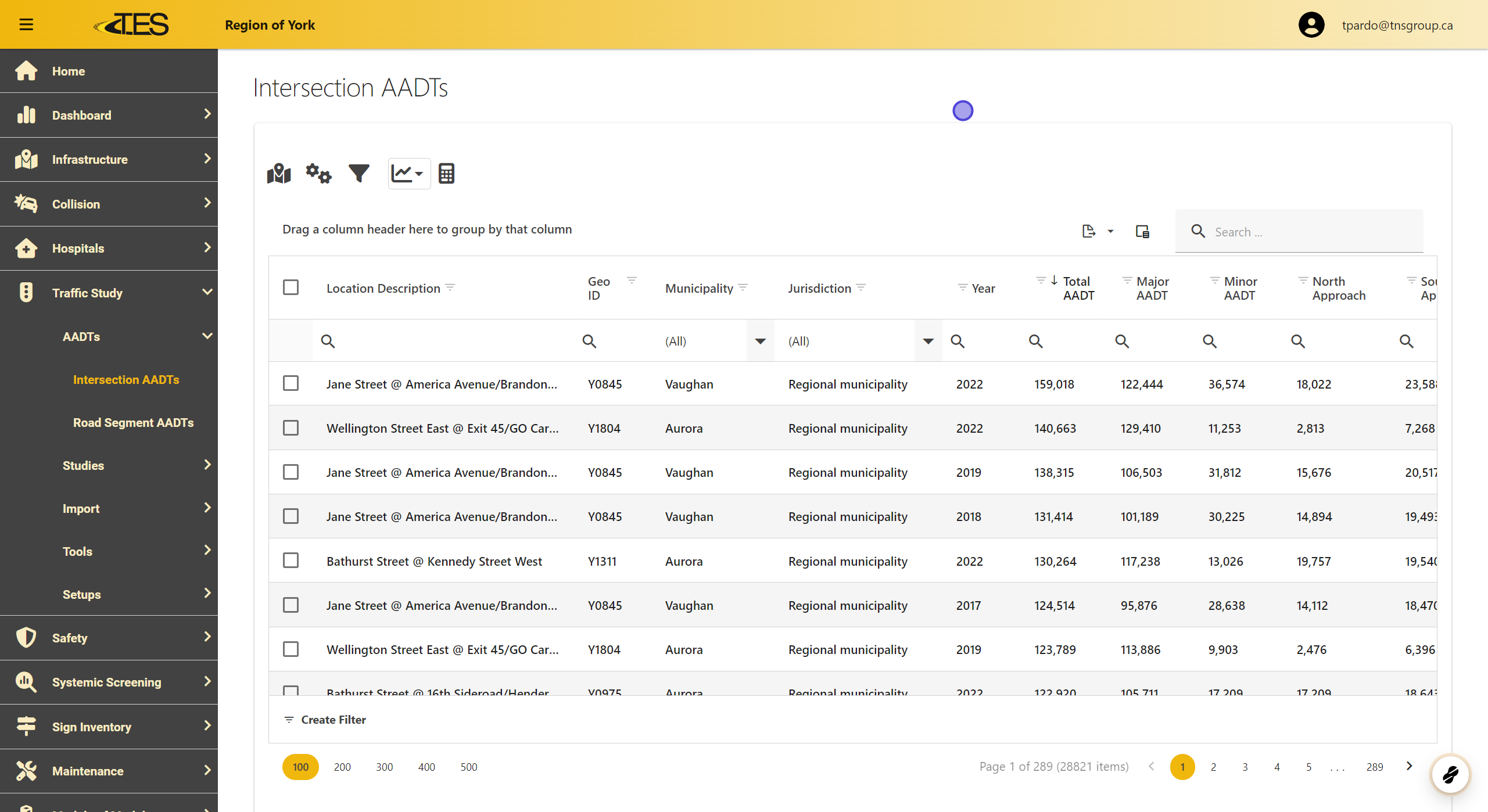
The data grid displays all calculated AADTs at intersections. Columns in the grid include:
-
Location Description
-
GEO ID
-
Municipality
-
Jurisdiction
-
Year
-
Total, Major, and Minor AADT
-
Approach-specific AADT
-
Source type for the AADT.
-
2. Access a AADT Record to View
Select the specific AADT record by clicking on its row in the data grid.

3. View the AADT Information
-
The AADT tab shows details such as:
-
Year
-
Total AADT
-
Major AADT
-
Minor AADT
-
North, South, East, and West Approaches
-
Source Type (e.g., Linear Regression).
-

4. View the Location on the Map
-
Access the Location tab to see the intersection's location on the map.
-
You can view the location using:
-
Google Maps
-
Google Street View
-
Bing Maps
-
Bing Street View
-
-
Click the respective icons to open the location in the external mapping tools.

5. Studies Tab
The Studies tab lists all related studies that include the selected AADT record.

6. Lock Button for Editing
If you need to make changes, click on the Lock button to unlock the record for editing.

7. COPY Dropdown
-
Use the COPY dropdown menu to copy specific information from the record, such as:
-
GEO ID
-
Year
-
Location
-
-
This feature allows quick sharing of details.
