People Involved
This documentation explains how to navigate the People Involved Modules in TES, which provide information about individuals involved in collisions. It includes separate modules for Drivers , Passengers , and Pedestrians , offering a detailed breakdown of each category.
1. Access People Involved
-
Navigate to the People Involved tab under the Collisions section.
-
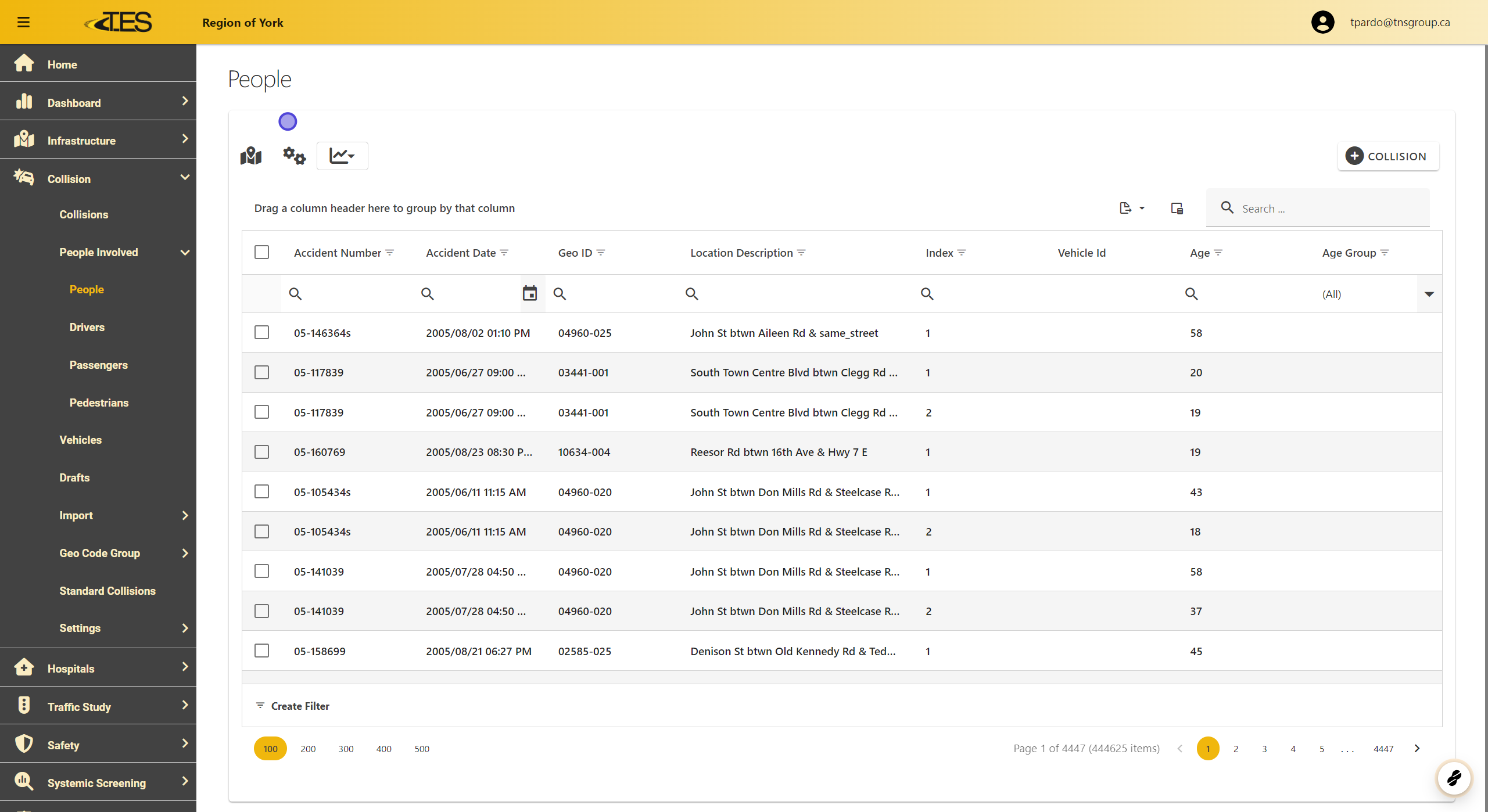
This tab contains comprehensive data grids with details about drivers, passengers, and pedestrians involved in collisions.

2. People Module Overview
The People Module displays detailed information, such as:
-
Accident Number
-
Accident Date
-
GEO ID and Location Description
-
Age of Individuals
-
Vehicle ID
-
Index Number of the person in the collision.
3. Drivers Module
The Drivers Module focuses on all drivers involved in collisions. The grid includes:
-
Accident Number and Date
-
Location Details (GEO ID and description)
-
Driver's Age , Index , Action , and Condition during the collision.

4. Passengers Module
The Passengers Module provides details on passengers involved, including:
-
Accident Number and Date
-
Location Details (GEO ID and description).

5. Pedestrians Modules
The Pedestrians Module offers data specific to pedestrians, such as:
-
Accident Details (Number, Date, Location)
-
Pedestrian Action and Condition .

6. Viewing Collision Details
Click on any entry in the grid to open the detailed view of the collision the person was involved in.

7. The Selected Accident's Detail View

8. Understanding Data Overlap
-
The People Involved Modules focus on individuals, while the Collisions Module focuses on events.
-
A single collision may involve multiple people (e.g., drivers, passengers, pedestrians), so the People Modules may display more entries than the Collisions Module .
